SwiftPix

Image Formats

WebP vs JPG vs PNG: Which Image Format is Best?

January 31, 2026•10 min read

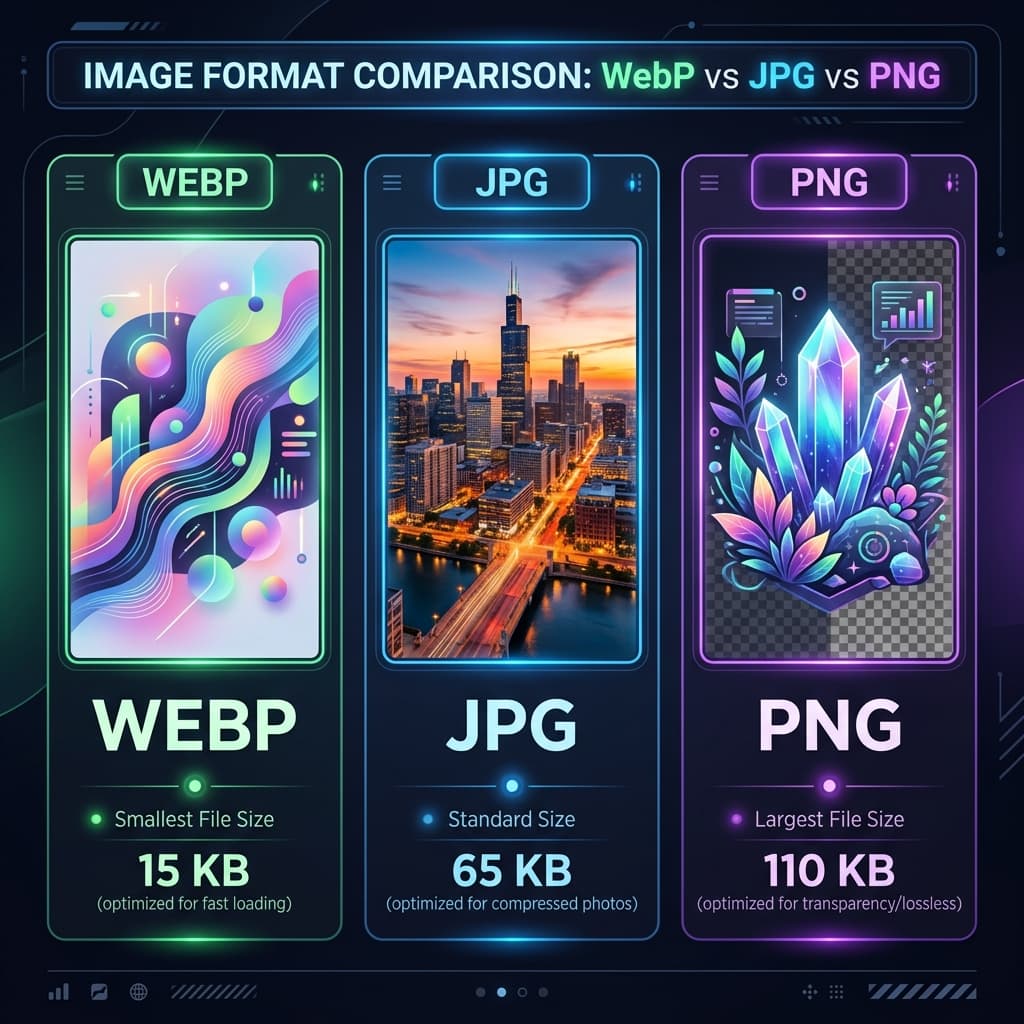
Choosing the right image format is crucial for web performance, compatibility, and visual quality. With JPG, PNG, and WebP being the most popular options, understanding their strengths and weaknesses helps you make the best choice for your specific needs. Let's dive into a comprehensive comparison.

Understanding the Three Formats

Each format has evolved to address specific image needs:

  • JPG (Joint Photographic Experts Group): Developed in 1992, best for photographs and complex images
  • PNG (Portable Network Graphics): Released in 1996, ideal for graphics with transparency
  • WebP (Web Picture Format): Created by Google in 2010, designed for web optimization

JPG: The Veteran Format

JPG remains the most widely used image format due to its excellent balance of file size and quality for photographic content.

Advantages:

  • Universal Compatibility: Supported by every browser, device, and application
  • Small File Sizes: Effective lossy compression for photographic content
  • Customizable Quality: Adjustable compression levels from 0-100%
  • Fast Loading: Smaller files mean faster page loads

Disadvantages:

  • No Transparency: Cannot handle transparent backgrounds
  • Lossy Compression: Quality degradation with each save
  • Not Ideal for Graphics: Poor for logos, icons, and simple graphics
  • Artifacts: Compression can create visible artifacts in detailed areas

PNG: The Quality Choice

PNG excels in situations where quality and transparency are more important than file size.

Advantages:

  • Lossless Compression: No quality loss during compression
  • Transparency Support: Full alpha channel transparency
  • Ideal for Graphics: Perfect for logos, icons, and simple graphics
  • Text Preservation: Maintains sharpness of text and line art

Disadvantages:

  • Larger File Sizes: Much larger than JPG for photographic content
  • Slower Loading: Larger files impact page speed
  • Not Efficient for Photos: Poor compression for photographic content

WebP: The Modern Contender

WebP combines the best aspects of JPG and PNG with superior compression technology.

Advantages:

  • Superior Compression: 25-35% smaller files than JPG at equivalent quality
  • Both Lossy and Lossless: Offers both compression modes
  • Transparency Support: Alpha channel like PNG
  • Animation Support: Can handle animated images like GIF
  • Metadata Support: Preserves EXIF and XMP data

Disadvantages:

  • Limited Compatibility: Not supported in all browsers (especially older versions)
  • Encoding Time: Takes longer to encode than JPG/PNG
  • Editing Software: Not universally supported in editing tools

Performance Comparison

For a typical photograph:

  • JPG (Quality 80): 100 KB
  • PNG: 500 KB (not suitable for photos)
  • WebP (Quality 80): 65 KB (35% smaller than JPG)

For a simple graphic with transparency:

  • JPG: Not possible (no transparency)
  • PNG: 50 KB
  • WebP: 30 KB (40% smaller than PNG)

When to Use Each Format

Use JPG when:

  • Storing or sharing photographs
  • File size is a concern
  • Maximum compatibility is needed
  • Working with older systems or browsers
  • Dealing with images without transparency

Use PNG when:

  • Transparency is required
  • Preserving image quality is critical
  • Creating logos, icons, or simple graphics
  • Working with screenshots containing text
  • Lossless compression is necessary

Use WebP when:

  • Optimizing web performance is a priority
  • Modern browser support is guaranteed
  • Need both compression and transparency
  • Looking to reduce bandwidth usage
  • Can provide fallback formats for compatibility

Browser Support Considerations

As of 2026, browser support is:

  • JPG: 100% support across all browsers
  • PNG: 100% support across all browsers
  • WebP: ~95% support (Chrome, Firefox, Edge, Opera, Safari 14+)

For maximum compatibility, consider using the HTML picture element:

<picture>
  <source srcSet="image.webp" type="image/webp">
  <img src="image.jpg" alt="Description">
</picture>

Conversion Tools and Workflow

Converting between formats is straightforward with the right tools:

  • Our image converter supports all three formats
  • WebP to JPG: Use our WebP to JPG converter when compatibility is needed
  • JPG to WebP: Convert for web optimization
  • PNG to JPG: When transparency isn't needed

Future of Image Formats

While WebP represents a significant advancement, newer formats like AVIF and JPEG XL are emerging with even better compression. However, adoption takes time due to compatibility concerns. WebP strikes the best balance today between compression efficiency and browser support.

Conclusion

There's no single "best" format - the optimal choice depends on your specific requirements. For general web use in 2026, consider WebP when compatibility is assured and JPG otherwise. Reserve PNG for graphics requiring transparency or lossless quality. As browser support continues to improve, WebP will likely become the standard for most web imagery.

Related Tools

Sponsored